If you’re running a STEM program or coaching a robotics competition team, you’ve probably looked at an Arduino kit — a small, programmable circuit board paired with sensors, motors, and wires — and thought: this is affordable, this is the one. Arduino (pronounced “ar-DWEE-no”) is an open-source electronics platform that lets students write simple code to control real-world hardware. A basic starter kit runs $30–$80 on the shelf. That price is real. The problem is that it’s also incomplete — often by a factor of three to five by the time your first semester ends. This guide is for the educator or coach who’s past the “what is Arduino” stage and is now making an actual procurement decision: evaluating competition pathways, locking in a consumables budget, and figuring out what the kit vendor’s catalog quietly omits. We’ll name numbers, show the math, and end with a clear decision frame you can take into your next budget meeting.
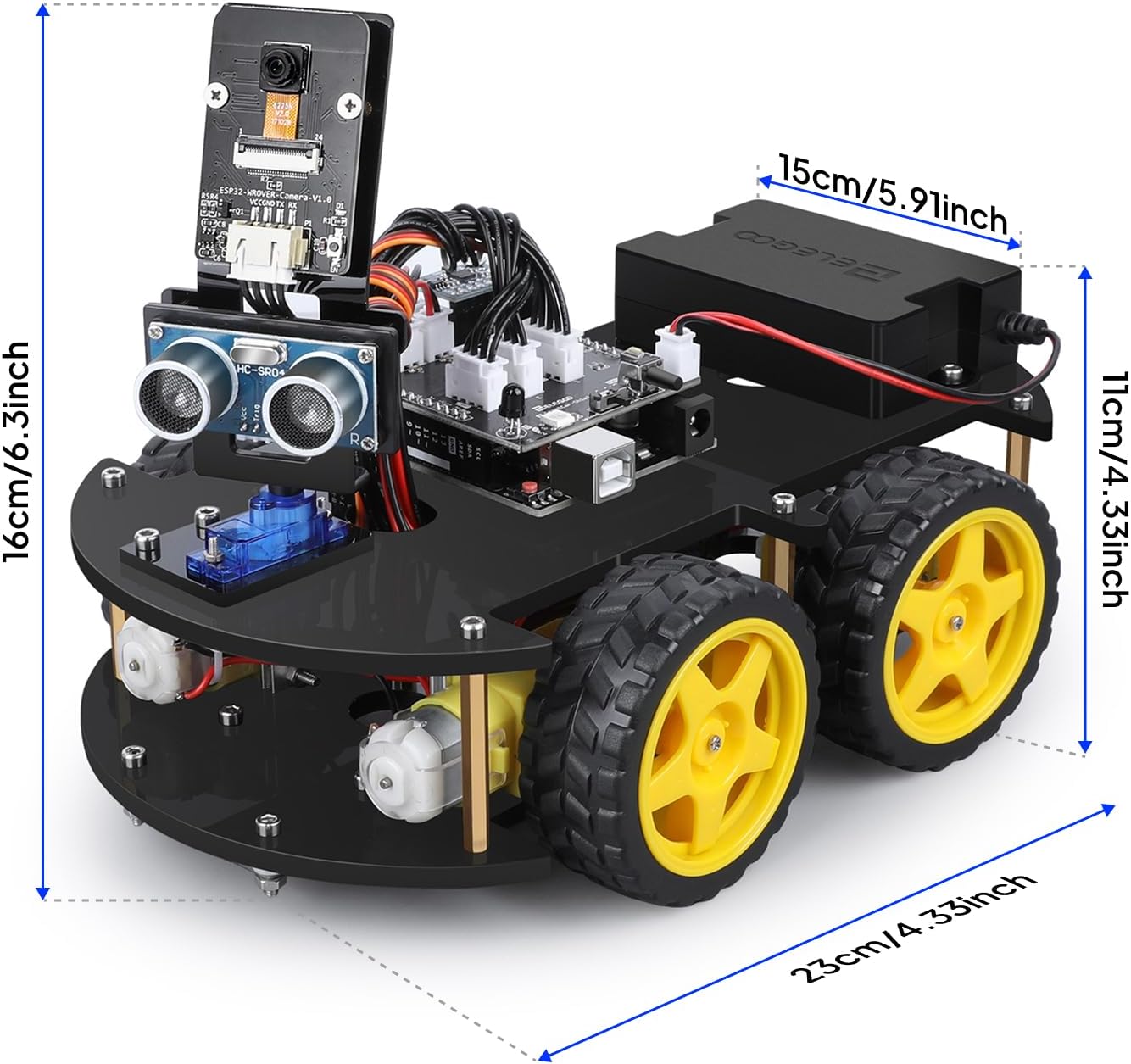
| EDITOR'S PICKArduino Engineering Kit REV2 [A… | Mid-tierELEGOO UNO R3 Smart Robot Car K… | Budget pickMakeblock mBot Robot Kit | |
|---|---|---|---|
| Recommended age | — | 8–16 | 8–12 |
| Coding platform | — | Arduino | Scratch, Arduino |
| Curriculum | ✓ | — | — |
| Price | $288.60 | $79.99 | $69.99 |
| See on Amazon → | See on Amazon → | See on Amazon → |
What the Kit Price Actually Covers (And What It Doesn’t)
Most Arduino education kits — from the official Arduino Starter Kit to Elegoo’s Super Starter Kit to the Vilros Complete Starter Set — include a microcontroller board, a breadboard (a plastic grid for prototyping circuits without soldering), a handful of sensors (temperature, ultrasonic distance, light), some LEDs, resistors, jumper wires, and a project booklet. That’s a complete, self-contained learning experience for one student working through structured tutorials. It is not a competition-ready build platform, and it is not a classroom-scale supply.
Here’s where the hidden spend starts:
Consumables that die fast. Jumper wires — the short color-coded cables students use to connect components — fail constantly. A pin bends, an insulation crack causes a phantom short, and the student spends 40 minutes debugging a wire, not a concept. Educators running Arduino programs at scale consistently report burning through two to three full wire sets per kit per semester, per Make: Magazine’s classroom coverage. Budget $8–$15 per student per semester just for replacement wires. Breadboards crack under heavy use; budget one replacement per three students annually. LEDs and resistors are technically cheap per unit but disappear into backpacks and lab floors — figure a $10–$20 component top-up per student, per year.
Sensors and modules beyond the starter pack. The sensors in a $50 kit are sufficient for Hello World projects. A servo motor (the kind that moves a robot arm or steering mechanism), a motor driver board, an OLED display, or a Bluetooth module are sold separately. For competition-track work, you’ll almost certainly need these. A quality servo like the Tower Pro MG996R runs $8–$12 per unit retail. A motor driver shield (L298N-based) adds another $6–$10. Per-student, a competition-capable component library easily adds $40–$80 on top of the base kit cost.
Power supplies and batteries. Most kits assume USB power from a laptop. The moment a student builds something mobile or untethered, that assumption breaks. 9V batteries drain in under an hour of motor use; LiPo battery packs and their associated chargers add $15–$35 per team.
By the numbers — realistic first-year cost per student:
| Line item | Low estimate | High estimate |
|---|---|---|
| Base kit (e.g., Elegoo Super Starter) | $35 | $75 |
| Consumable replenishment (wires, resistors, LEDs) | $15 | $30 |
| Additional sensors/modules | $30 | $80 |
| Power (batteries or DC adapter) | $10 | $25 |
| Total per student, Year 1 | $90 | $210 |
That $90–$210 range aligns with what The Robot Report’s K-12 procurement guide describes as the realistic classroom deployment cost, not the kit sticker price.
The Competition Pathway Decision: Arduino’s Place in the Ecosystem
This is where the decision gets interesting — and where a lot of programs make an expensive wrong turn.
Arduino is excellent for foundational electronics and programming education. It is not the native platform for most major robotics competitions. Understanding that gap before you commit to a curriculum path saves significant time and money.
VEX Robotics and FIRST — the two dominant competition ecosystems at the K-12 level — use their own proprietary controllers and motor systems (VEX V5 Brain, FIRST’s REV Control Hub or roboRIO). These are not Arduino-compatible out of the box. A student who has learned Arduino’s C++-adjacent language (called Wiring) has transferable logical skills, but will face a platform migration when they move to VEX V5 or FIRST FRC (First Robotics Competition — the high school varsity-level national program). Per FIRST’s own Season Kit and Budget Planning Guide, FRC teams should plan on a minimum $6,000–$10,000 annual operating budget including registration, parts, and travel — Arduino kit experience is valuable background, but the build platform is entirely different.
Where Arduino genuinely fits in the competition track:
- Science Olympiad — several events, including Robot Tour and Air Trajectory, allow custom-built controllers, and Arduino-based builds are common and competitive. This is a natural match.
- TSA (Technology Student Association) Robotics events — open-hardware events where Arduino is explicitly permitted.
- Hackathons and Maker Fairs — not competitions in the traditional sense, but showcase-style events where Arduino shines.
- SkillsUSA Electronics Technology — Arduino knowledge is directly applicable to circuit troubleshooting events.
The decision frame: if your goal is to pipeline students into FRC or VEX Robotics Competition (VRC) specifically, Arduino is a feeder platform, not the destination platform. Budget accordingly — plan for a platform transition in year two or three, and don’t over-invest in Arduino-specific accessories that won’t migrate. If your goal is Science Olympiad, TSA, or general maker-fluency, Arduino is the right long-term investment.
Software Licenses, IDE Versions, and the Compatibility Trap
Arduino’s core development environment — the Arduino IDE (Integrated Development Environment, the software students use to write and upload code) — is free and open source. That’s genuinely true and genuinely valuable. But it’s not the whole software story.
Library management is a real labor cost. Arduino’s functionality is extended through libraries — packages of pre-written code that control specific sensors or modules. Managing library versions across 20–30 student laptops is a non-trivial IT task. A library that works on Arduino IDE 2.3 may behave differently on a student’s home laptop running IDE 1.8. IEEE Spectrum’s coverage of classroom robotics programs notes that firmware and library version mismatches are among the top sources of student frustration and teacher debugging time — time that has a real dollar value in your program’s labor budget.
Tinkercad Circuits (owned by Autodesk) offers a free browser-based Arduino simulator that lets students prototype circuits virtually before touching physical hardware. Across educator forums and Make: Magazine’s classroom coverage, teachers consistently report that Tinkercad meaningfully reduces component damage from wiring errors — effectively paying for the time to learn it in saved consumable costs. The base version is free; Autodesk’s educational licensing for premium features is worth verifying annually since pricing tiers have shifted.
School network restrictions are a hidden friction point. Many districts block executable downloads or restrict USB device access on managed laptops, which directly breaks the Arduino IDE’s upload-to-board workflow. The workaround — Arduino’s web-based editor, Arduino Cloud — requires account creation (a COPPA compliance issue for under-13 students) and a stable internet connection. Budget planning for a classroom program needs to include a conversation with your IT department before a single kit ships.
Scaling From One Classroom to a Program: Where the Math Changes
A single classroom pilot with 15 students is a very different procurement than a three-section rollout serving 75 students, and the per-unit economics shift significantly at scale.
Bulk component purchasing changes your math. A 10-pack of breadboards from a reputable electronics supplier (Adafruit and SparkFun both offer educational pricing programs) runs substantially less per unit than individual kit purchases. If you’re outfitting 30+ stations, separating your component purchasing from your kit purchasing — buying boards in bulk, components in bulk, and using the kit primarily as a curriculum scaffold — typically saves 20–35% versus buying 30 complete kits.
Curriculum materials are a real cost line. Arduino’s official curriculum (Arduino Education’s “Science Kit,” “Sensor Kit,” and “Oplà IoT Kit” products) bundles lesson plans with hardware. Third-party curricula from providers like DFRobot or Seeed Studio’s educational division exist as well. If you’re writing your own curriculum, the development cost in teacher time is real — figure 2–4 hours of prep per lesson for an educator new to the platform, per educator accounts aggregated across Make: Magazine’s classroom coverage.
Storage and organization infrastructure. This sounds trivial until you’ve had a class of 25 students return components to an unsorted bin. A proper component organization system — labeled compartments, static-safe bags for sensitive components, secure storage for batteries — runs $50–$150 per classroom setup but pays back in reduced component loss and faster class setup times. It’s almost never in anyone’s initial budget.
The Decision Frame: If X, Then Y
You’ve read the math. Here’s how to apply it:
If your primary goal is Science Olympiad or TSA competition pathways: Arduino is a strong long-term platform investment. Budget $120–$175 per student in year one (kit + consumables + supplemental components), plan for an annual $40–$60 per-student replenishment budget, and prioritize Tinkercad integration from day one to reduce hardware damage costs. The Elegoo Mega 2560 kit is a frequent starting point among Science Olympiad coaches because the Mega board (a larger Arduino variant with more input/output pins) supports more complex builds without a mid-project board upgrade.
If your primary goal is FRC or VEX pipeline: Use Arduino as a one-semester conceptual foundation — one kit per two students is sufficient, lean on Tinkercad simulation to stretch hardware further, and plan your year-two budget around the REV Robotics or VEX V5 ecosystem, not an expanded Arduino inventory. Don’t over-invest in Arduino-specific accessories that won’t transfer.
If your goal is general STEM fluency and maker literacy: You have the most flexibility. Start with a class set of mid-tier kits (Elegoo or Arduino Starter Kit), build a shared component library rather than individual kits, and let student interest guide which students go deeper into competition-track hardware. This approach typically lands in the $60–$90 per student range for an initial deployment serving 20–30 students.
If your budget is under $50 per student total: Be honest with yourself — that’s a simulation-heavy curriculum with limited physical builds. Tinkercad for circuit design and MIT’s Scratch-to-hardware bridge tools can carry significant instructional weight. A small shared hardware station (3–4 Arduino setups for a class of 20) used in rotation is a legitimate model for tight budgets; it just requires more structured scheduling and is not compatible with every competition pathway.
The kit price is a starting point, not a budget. Build your procurement with the full first-year number in hand, and you’ll avoid the mid-semester scramble that derails more classroom programs than any technical challenge ever does.