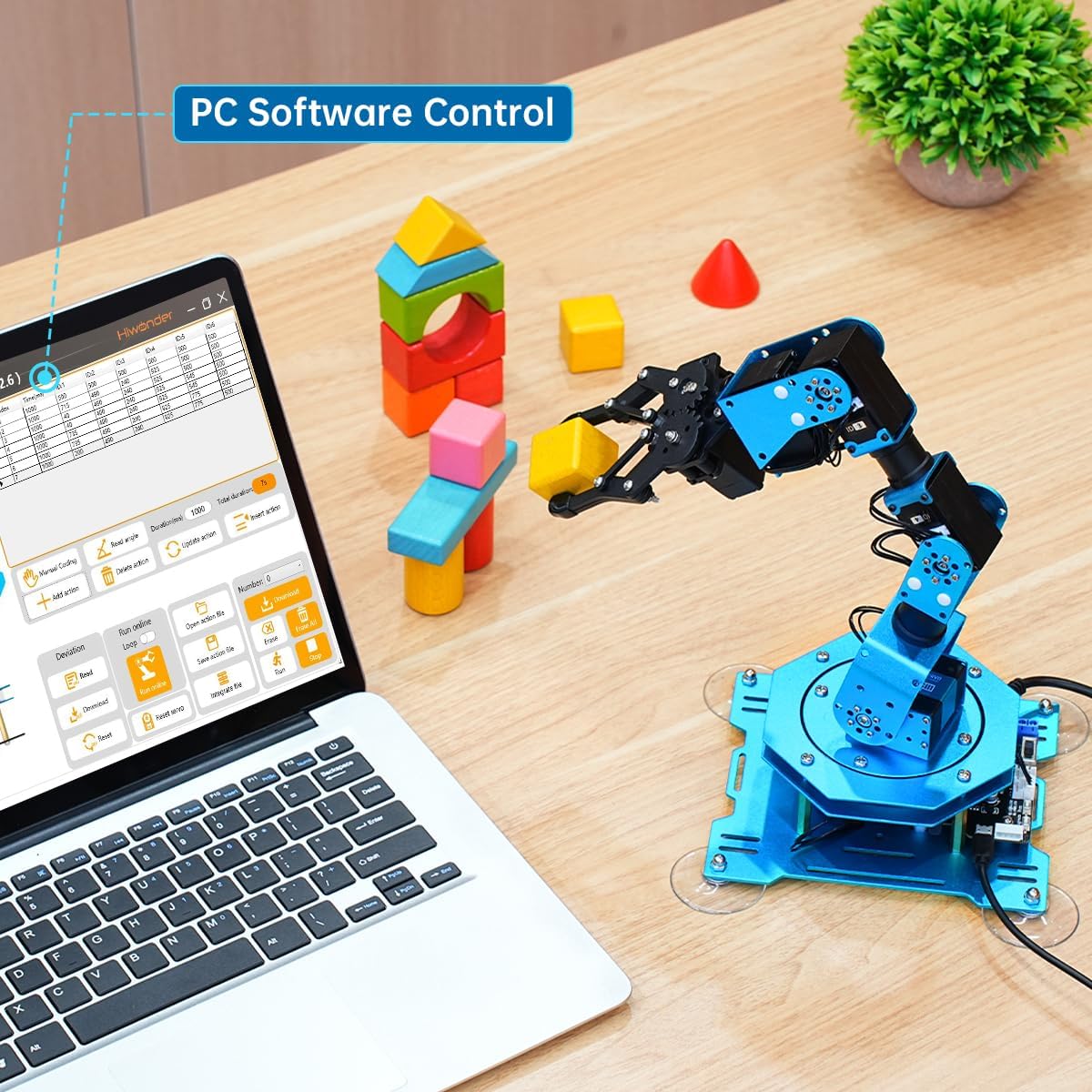
If you’re shopping for a desktop robot arm that talks to an Arduino — or an Arduino-compatible microcontroller board — you’ve probably noticed that the specs look almost too good. Five hundred grams of payload (the weight a robot arm can lift and move reliably) for $300? Six degrees of freedom (meaning the arm can move in six independent directions, mimicking a human arm’s range of motion) for under $800? Those numbers are real, technically speaking. But they’re also a little like the horsepower rating on a used car: accurate under very specific conditions that may have nothing to do with how you’re actually planning to use it.
This article is for you if you already understand the basics and are now in the harder part — figuring out whether a specific arm will actually do the job you’re scoping. We’ll work through how to calculate your effective payload after you mount an end-effector (the gripper, camera, or tool at the arm’s tip), where firmware gets messy on Arduino-based systems, and what a true 6DOF arm costs once you factor in everything the product page doesn’t mention.
| EDITOR'S PICKRobotic Arm for Arduino Coding… | Mid-tierLewanSoul Robotic Arm Kit 6DOF… | Budget pickThames & Kosmos Bionic Robotic… | |
|---|---|---|---|
| Degrees of freedom | 6DOF | 6DOF | — |
| Control method | Wireless/PC/App/Mouse | PC/App + handle | Manual |
| Servos included | — | 5 servo | — |
| Age range | — | — | 10+ w/ help, 14+ |
| Power source | — | — | No batteries |
| Build type | Full metal | — | Mechanical |
| Price | $199.99 | $139.99 | $46.74 |
| See on Amazon → | See on Amazon → | See on Amazon → |
The Payload Number on the Box Is Not Your Payload
This is the single most expensive misconception in desktop arm buying, so let’s do the math explicitly.
The manufacturer-rated payload is measured at the tool center point (TCP) — an imaginary dot at the very tip of the arm — with nothing attached. The moment you bolt on an end-effector, that mass becomes a permanent payload penalty before you’ve picked up a single workpiece.
By the numbers:
| Arm | Rated Payload | Typical Gripper Mass | Effective Working Payload |
|---|---|---|---|
| Dobot Magician | 500 g | 180–250 g (pneumatic) | 250–320 g |
| uArm Swift Pro | 500 g | 120–200 g (servo gripper) | 300–380 g |
| Elephant Robotics MyCobot 280 | 250 g | 100–180 g (standard gripper) | 70–150 g |
| Generic 6DOF servo arm (~$80–$150) | 200–300 g (claimed) | 80–150 g | 50–220 g (highly variable) |
Sources: published specification documents from Dobot Robotics, Elephant Robotics product documentation, and aggregated owner reports compiled in Robotics and Automation News’s 2024 desktop arm roundup.
The Elephant Robotics MyCobot 280 is a good case study here. Its 250g rating looks competitive until you realize that a basic parallel gripper with mounting hardware runs 100–180g, leaving you 70–150g of actual working payload. If your application involves picking components heavier than a large coin, you’re already in trouble. Owners across forums and aggregated reviews consistently flag this gap — it’s not a flaw exactly, it’s just a spec that only tells half the story.
The reach penalty is real too. Payload ratings are measured with the arm in a near-vertical, fully retracted position. As the arm extends toward full reach, the effective torque load increases, and the arm can hold less. The Dobot Magician’s spec sheet (Dobot Robotics, 2024 technical documentation) notes that payload degrades at full extension — a detail buried in footnotes that most buyers don’t catch until they’re mid-project.
Practical decision rule: Take the rated payload, subtract your heaviest realistic end-effector, then subtract another 20% for extension-position degradation. Whatever’s left is your safe working payload. If that number doesn’t cover your application with margin, the arm isn’t the right fit regardless of what the listing says.
Firmware Reality: Where Arduino Integration Gets Complicated
Most sub-$1,000 desktop arms that advertise “Arduino compatible” mean one of three different things, and they are not equivalent:
-
The arm ships with its own proprietary controller, and an Arduino can send it serial commands. This is the most common setup (Dobot Magician, uArm). The Arduino is basically a middleman talking to a closed firmware stack.
-
The arm’s servo controllers can be directly driven by Arduino PWM signals. More control, more responsibility — you’re writing your own inverse kinematics (the math that converts “move the tip to X, Y, Z” into individual joint angles).
-
The arm runs on open-source firmware (Marlin derivatives, custom GRBL ports) that Arduino natively speaks. Rare, but exists in DIY builds and some open-hardware kits.
Each option has gotchas. Hackaday’s 2023 writeup on Arduino robot arm firmware explicitly calls out the serial-command approach as a “leaky abstraction” — you think you’re controlling the arm, but you’re actually requesting that a second firmware layer do it for you, and that layer has its own timing, buffering, and error behavior you can’t fully inspect. Operators report missed commands under rapid polling, position drift when serial buffers overflow, and inconsistent homing behavior across firmware versions.
The version fragmentation problem. The Dobot Magician has shipped with multiple firmware versions that break API compatibility with the official Arduino library. Users on the Dobot community forums (referenced in Make: Magazine’s 2023 desktop arm feature) report that upgrading firmware to gain a new feature silently broke their existing motion scripts. There’s no stable LTS (long-term support) firmware branch as of mid-2026. If you’re building a production fixture rather than a classroom demo, this is a meaningful operational risk.
For pure PWM-driven arms (budget 6DOF servo kits in the $80–$300 range), the firmware challenge inverts: you have full control, but you’re also responsible for implementing joint limits, singularity avoidance (the arm positions where math breaks down and joints spin unexpectedly), and acceleration ramping. Without those, servo arms can self-damage. The Robot Report’s 2024 desktop cobot analysis noted that a significant portion of sub-$200 arm failures in maker contexts trace back to software-side overshoots — the arm commanded past its mechanical limits because nobody implemented soft stops.
Decision frame: If your project needs reliable, repeatable operation over weeks or months without babysitting firmware, strongly prefer an arm with documented stable API versioning and a clear upgrade path. If you’re building a learning platform where tinkering with firmware is the point, a PWM-direct servo arm teaches more and costs less.
What 6DOF Actually Costs — Fully Loaded
“Six degrees of freedom” is one of the most frequently misused selling points in this category. Let’s separate what it means from what it costs to use properly.
A true 6DOF arm can position its end-effector at any point in its workspace and orient it in any direction — think of a human wrist that can twist, tilt, and rotate independently of the shoulder and elbow. That’s genuinely useful for tasks like pick-and-place with orientation constraints, or any application where the part needs to arrive at a specific angle.
But 6DOF raises the cost in ways the sticker price doesn’t reflect.
The software cost. Controlling 6DOF requires solving inverse kinematics (IK) — the math that converts a desired tip position and orientation into six joint angles simultaneously. For 4DOF arms (common in the $200–$500 range), IK is simple enough to run on an Arduino Mega. For a full 6DOF arm, you realistically need a more capable processor — a Raspberry Pi or equivalent — handling IK off-board, or you rely on the manufacturer’s closed IK solver (back to the firmware dependency problem). IEEE Spectrum’s collaborative robotics cost analysis from 2023 is blunt on this point: the hidden software complexity of 6DOF is why industrial arms include dedicated motion controllers in their base pricing.
The calibration cost. Each additional degree of freedom introduces more places for positional error to accumulate. A 4DOF arm that’s slightly miscalibrated has predictable, correctable error. A 6DOF arm with one joint whose zero-point is off by 2° produces end-effector position errors that look almost random until you work through the kinematics. Budget time — not just money — for calibration and validation.
The real total cost breakdown for a functional 6DOF Arduino-adjacent setup:
- Arm unit (Elephant Robotics MyCobot 280, comparable): ~$700–$900
- End-effector (parallel gripper, mounting hardware): $80–$200
- Compute for IK (Raspberry Pi 4 or equivalent, enclosure, power): $80–$150
- Software/library integration time (realistic, not optimistic): 20–60 hours
- At even a modest $25/hr equivalent for your own time: $500–$1,500 in labor
- Miscellaneous: brackets, wiring, emergency stop hardware: $50–$150
Fully-loaded realistic range: $1,400–$2,900 for a working 6DOF desktop cell that does something repeatable and reliable. Robotics and Automation News’s 2024 analysis of sub-$1,000 arms echoes this framing — the hardware is often the smallest cost bucket once integration time is counted honestly.
If X, Then Y — Your Decision Rules
We’ve covered a lot. Here’s how to translate it into a buy / don’t-buy call for where you actually are right now.
If your effective working payload (after end-effector, after reach penalty) covers your application with at least 25% margin → proceed, but verify firmware API stability before committing. Ask the vendor which firmware version their current library targets and whether breaking changes are documented anywhere publicly.
If you need reliable, unattended operation over weeks → prioritize arms with stable, versioned APIs (Dobot’s more recent SDK versions have improved here, per community documentation) or consider stepping up to the Dobot CR series or Techman TM5 tier where motion controller firmware is treated as a product in its own right. The $300 savings on hardware will not compensate for a week of debugging a firmware regression.
If 6DOF is on your list because it sounds more capable → pause. Most pick-and-place, dispensing, and light assembly tasks in maker and SME contexts are solvable with 4DOF. The Make: Magazine 2023 desktop arm feature found that a large share of builder projects using 6DOF arms only exercised 4 of those axes in practice. Save the complexity budget for a real orientation-constraint requirement.
If you’re building a classroom or competition-prep platform → the firmware tinkering and IK complexity of 6DOF is often the curriculum, not the obstacle. In that context, a sub-$500 PWM-direct servo arm that requires students to implement soft limits and basic IK themselves teaches more than a polished closed-stack arm. Budget for broken servos — they will happen, they are cheap, and they’re part of learning.
If your project is already under time pressure → add 40% to whatever software integration timeline you’ve estimated. Every project in this category has a firmware surprise. That’s not pessimism; it’s the consistent signal across owner reports, maker community post-mortems, and Hackaday’s documented case studies. Build the buffer now, before you’re two weeks past deadline wondering why the arm keeps missing its Z position by 8mm.
The desktop robot arm market at the Arduino-adjacent tier is genuinely exciting and genuinely immature. The hardware has gotten remarkably capable for the price. The software ecosystem — firmware stability, IK libraries, hardware abstraction — is still catching up. Your job as a buyer is to make sure you’re pricing both halves of that equation before you commit.