If you’ve been shopping for a Raspberry Pi–based robot kit recently — a Raspberry Pi is a credit-card-sized single-board computer that can run a full operating system for roughly $35–$80 — you’ve probably seen phrases like “ChatGPT-enabled,” “AI-powered vision,” or “LLM onboard” scattered across product listings. Those labels sound exciting, and some of them deliver real capability. But the gap between what “AI-enabled” means in a press release versus what it means at 3 a.m. when your robot keeps losing its object-tracking lock can be enormous. This article is for builders who are past the “does this kit work?” stage and are now asking “does this AI integration actually justify the price premium?” We’ll decode the three common architectures behind these AI claims, show you the math on latency and compute constraints, and give you a clear decision framework for your current kit evaluation.
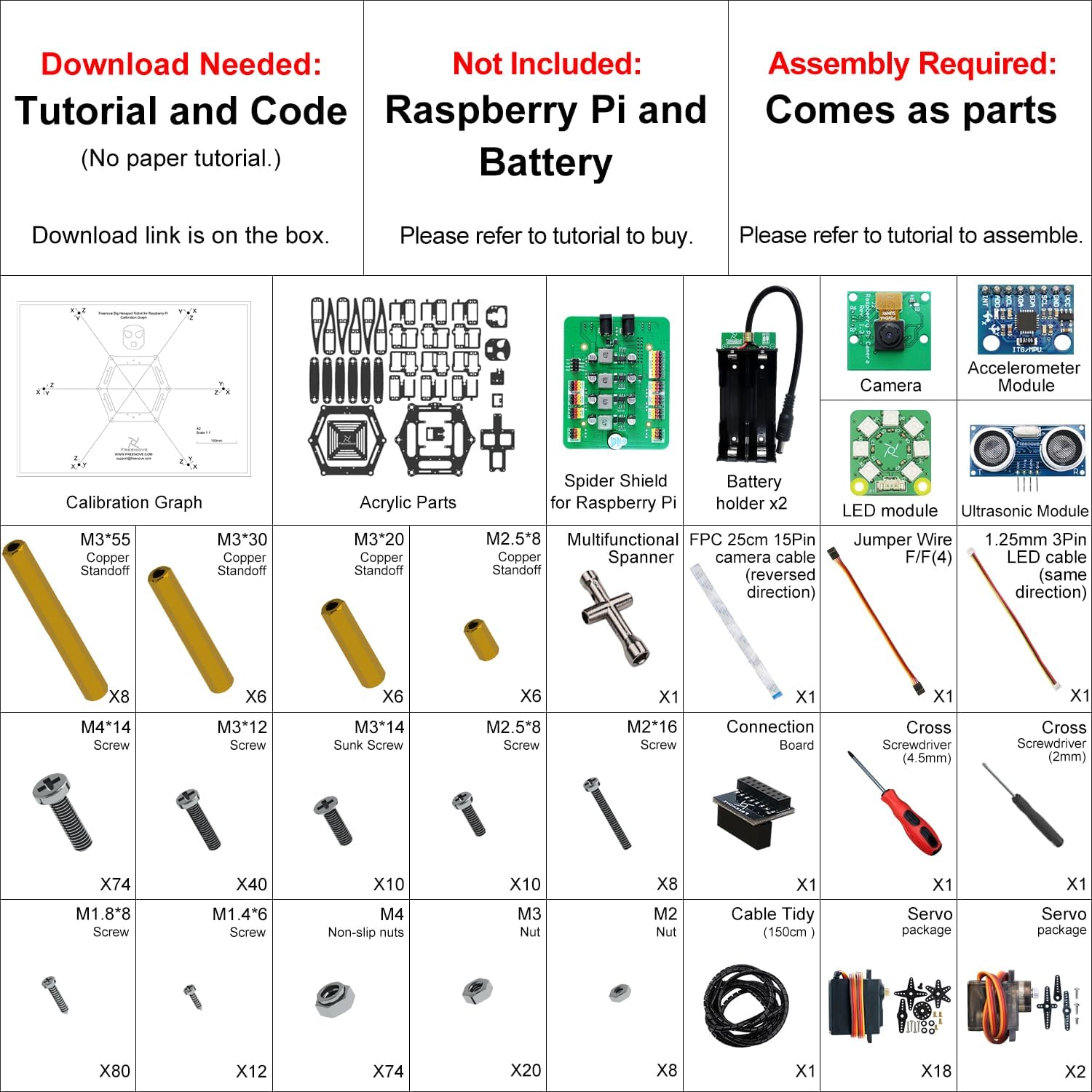
| EDITOR'S PICKSunFounder PiDog AI Robot Dog K… | Mid-tierFreenove Big Hexapod Robot Kit… | Budget pickSunFounder Picar-X AI Video Rob… | |
|---|---|---|---|
| Form factor | Robot dog | Hexapod walker | Robot car |
| Pi model support | Pi 5/4/3B+/Zero 2W | Pi 5/4B/3B+/Zero 2W | Pi 5/4/3B+/Zero 2W |
| LLM platforms | ChatGPT/Gemini/Grok | — | ChatGPT-4o/Gemini/Grok |
| Voice recognition | ✓ | — | ✓ |
| Video recognition | ✓ | Face recognition | ✓ |
| Extra sensors | Gyroscope | Ultrasonic ranging | — |
| Price | $179.99 | $169.95 | $89.99 |
| See on Amazon → | See on Amazon → | See on Amazon → |
The Three Architectures Hidden Behind “AI-Enabled”
When a kit markets itself as AI-enabled, it’s almost always using one of three underlying architectures. Understanding which one you’re buying matters more than the label itself.
Architecture 1: Cloud-relay AI. The robot sends sensor data or camera frames to a remote API — OpenAI, Google Gemini, or similar — and waits for a response. This is what most “ChatGPT-enabled” kits actually mean. The Raspberry Pi 5 (the current flagship board as of mid-2026, rated at roughly 3x the CPU performance of the Pi 4 per the Raspberry Pi Foundation’s product brief) has more than enough horsepower to handle the serial communication, camera capture, and motor control loops involved. The “AI” itself lives entirely in the cloud. Round-trip latency for a typical OpenAI API call sits between 400ms and 1,500ms on a residential Wi-Fi connection — confirmed across aggregated community benchmarks cited in The Robot Report’s 2025 AI consumer robotics overview. For a conversational robot or a slow-speed sorting demo, that’s fine. For any closed-loop reactive behavior — collision avoidance, fast pick-and-place, real-time navigation — it’s a fundamental mismatch. The robot is blind for half a second or more every time it “thinks.”
Architecture 2: On-device inference with a lightweight model. Some kits ship with a quantized (compressed) model that runs locally on the Pi’s CPU or, increasingly, on an attached AI accelerator like the Hailo-8L module. Hackaday’s coverage of edge inference projects consistently notes that running a full-size LLM locally on a Pi 5 without acceleration is technically possible for tiny models (1–3B parameters, heavily quantized) but produces token generation speeds of 2–8 tokens per second — which is slow enough to feel broken in interactive use. The Hailo-8L, which slots into the Pi 5’s PCIe connector and carries a street price around $70–$90, pushes computer vision inference (object detection, pose estimation) to genuinely useful speeds: sub-20ms latency for YOLOv8 inference is cited in published Hailo benchmarks. The honest caveat is that the Hailo module accelerates vision models well but does not meaningfully help text generation — two different workloads, two different silicon needs.
Architecture 3: Hybrid routing. The more sophisticated kits use a decision layer that routes simple, latency-sensitive tasks (object detection, line following, obstacle avoidance) to local lightweight models and farms out reasoning-heavy, latency-tolerant tasks (natural language commands, scene description) to the cloud. This is the architecture that actually delivers a smooth user experience. It’s also the architecture least likely to be explained clearly in a product listing. When you’re evaluating a kit, ask specifically: which tasks run locally and which require a network connection? If the vendor can’t answer that cleanly, assume it’s Architecture 1 with a marketing wrapper.
What the Numbers Actually Tell You
Before committing to a kit or an integration strategy, it’s worth anchoring on a few hard constraints that don’t change regardless of how good the marketing copy sounds.
By the numbers:
- Raspberry Pi 5 (8GB RAM) max sustained CPU inference for a 3B quantized LLM: ~6 tokens/sec (per Hackaday edge inference testing reports, 2025)
- Hailo-8L on-device vision inference latency: <20ms for YOLOv8n (manufacturer-rated)
- OpenAI GPT-4o API median round-trip latency on residential broadband: 400–900ms (aggregated community benchmarks, 2025–2026)
- Typical closed-loop robot control cycle target for basic obstacle avoidance: <50ms
The gap between 400ms minimum cloud latency and a 50ms control loop target is not closable with better Wi-Fi. This is a physics-and-architecture constraint. IEEE Spectrum’s analysis of edge AI limitations notes that this latency gap is the single most common source of disappointment when hobbyists attempt to wire LLM APIs directly into reactive robotics control loops.
The corollary: if a kit’s main demo is a robot that “talks to you” and responds to voice commands with a short verbal answer, cloud relay is perfectly adequate. If the demo shows the robot navigating around obstacles while processing natural language — watch the video carefully for network dependency caveats, because that behavior requires local vision inference working alongside the cloud layer.
Kit-by-Kit Evaluation Framework: What to Actually Check
Rather than reviewing specific kits that may update their firmware or included models between now and your purchase, here’s the evaluation checklist we’d run against any “AI-enabled” Raspberry Pi robot kit in the $120–$400 price range that Make: magazine’s 2025 Pi Robot Roundup covers as the current competitive tier.
Check 1: What AI hardware is actually included? A bare Pi 5 is not an AI accelerator. If the kit includes an Hailo module, a Google Coral USB accelerator, or an Intel Neural Compute Stick, that’s a meaningful hardware differentiator. If it’s just a Pi 5 plus a camera module and the AI capability comes from API calls, the “AI” cost is actually a recurring operating expense — OpenAI API usage at robotics demo volumes typically runs $5–$25/month depending on call frequency, which adds up faster than most kit buyers expect.
Check 2: Is there an offline mode? Ask this explicitly, or look for it in the documentation. A kit that requires an active internet connection for its core AI features is not just a latency problem — it’s a deployment constraint that matters the moment you want to demo at a school gym, a trade show floor, or anywhere with unreliable Wi-Fi. The Robot Report’s 2025 consumer robotics overview notes that offline capability has become a meaningful differentiator in the prosumer segment precisely because buyers learned this lesson the hard way.
Check 3: What’s the software update path for the AI model? This is the question almost nobody asks in the buying phase and almost everybody wishes they’d asked six months later. Is the included model version-locked to what shipped? Can you swap in a newer quantized model as they become available? Is the inference runtime (Hailo’s toolchain, TensorFlow Lite, ONNX Runtime) one you’re already familiar with, or does it add a new learning curve? For a hobbyist building one project, this matters less. For a STEM educator building a curriculum around the kit, model update paths are a real institutional concern.
Check 4: Where does the robotics control layer live? Some kits architecturally separate the AI inference layer from the motor control layer — the Pi runs AI, a microcontroller (often an Arduino or RP2040) handles real-time PWM signals to motors. This is actually the better design for most builds because it keeps the latency-sensitive control loop isolated from the heavier inference workload. Other kits run everything on the Pi, which works fine for slow robots but creates jitter at higher speeds when the OS scheduler interrupts a motor control loop to handle an inference task. Published spec sheets and build guides usually describe this, but you may have to read the architecture diagrams rather than the feature bullet points.
The Honest Trade-off Matrix
Here’s the “if X, then Y” decision frame we’d use for someone currently choosing between a cloud-relay AI kit and a hybrid architecture kit at a $150–$250 price delta.
If your primary use case is conversational interaction or voice-commanded demos — the robot responds to spoken questions, describes what it sees, or acts as a teaching interface — cloud relay is entirely adequate and you can save the $150–$250 that a Hailo add-on module costs. The latency is invisible in these workflows because human conversation has natural gaps.
If your use case involves any real-time navigation, object avoidance, or vision-guided manipulation — pick up the hybrid kit or budget for the Hailo module separately. The latency math is unforgiving here, and no amount of clever software compensates for a 600ms round trip in a reactive control loop.
If you’re building for a classroom or competition environment — offline capability should be a hard requirement, not a nice-to-have. Budget the premium and verify offline mode before purchase, not after.
If you’re evaluating whether to build versus buy — a base Pi 5 with the Hailo-8L module, a camera module, and a chassis kit from a reputable supplier runs roughly $200–$280 in components as of mid-2026 and gives you full architectural control. That’s comparable to mid-tier integrated AI robot kits, and it means your AI pipeline isn’t locked to whatever model version the kit vendor decided to ship. The trade-off is integration time: expect 15–25 hours of setup and debugging versus a packaged kit’s 2–4 hours to first demo.
The Bottom Line
“ChatGPT-enabled” on a robot kit listing is a marketing description that collapses three meaningfully different architectures into one phrase. The architecture you’re actually buying determines whether the AI capability is genuinely useful for your build or whether it’s a demo feature that breaks the moment you move away from the Wi-Fi router. For intermediate builders with a specific project goal — not just “something cool to tinker with” — the evaluation questions above should take about 30 minutes of documentation review to answer definitively. If a vendor’s documentation doesn’t answer them clearly, that’s itself useful signal about how well-supported the platform will be when you hit your first integration wall.
The good news: the hardware available in mid-2026 is genuinely capable of useful on-device AI for robotics workloads. The Raspberry Pi 5 plus a vision accelerator represents real capability that wasn’t available two years ago. You just need to look past the labels to confirm you’re getting the architecture that matches your actual use case — and that the AI in your robot isn’t living entirely in a data center three states away.