If you’ve ever searched “AI robot kit for adults” and landed on a page full of spider-legged contraptions promising ChatGPT voice control, you’re not alone — and your skepticism is well-placed. These kits sit at the intersection of two technologies most buyers only half-understand: Raspberry Pi (a credit-card-sized Linux computer you can program like a full PC) and Arduino (a simpler microcontroller board that runs one task at a time, reliably and cheaply). Slap “AI” in front of either word and the marketing copy gets very loud very fast. This article cuts through that noise. We examine the kits that actually show up in serious adult learners’ hands — Freenove Hexapod, SunFounder PiDog, SunFounder GalaxyRVR, SunFounder PiCrawler, and the SunFounder Elite Explorer Kit — compare their documentation quality honestly, decode what “AI features” actually deliver at this price tier, and give you a clear decision frame for wherever you are in the buying process.
What “AI Features” Actually Mean on a $50–$300 Robot Kit
Let’s be direct, because this is where the most expensive mistakes happen. When a kit at this price tier advertises “AI,” it almost never means an on-device neural network making independent decisions. It almost always means one of three things:
1. Cloud API pass-through. The Raspberry Pi sends your voice audio to OpenAI’s ChatGPT or Google’s Gemini over the internet, receives a text response, and speaks it back through a speaker. The “AI” lives entirely on a remote server. Your robot needs a working WiFi connection and a paid API key. The kit supplies the wiring and some Python glue code — nothing more.
2. Pre-trained computer vision models. OpenCV (an open-source computer vision library) running on a Pi 4 or Pi 5 can perform real-time face tracking, color detection, or line following using pattern-matching algorithms. This is genuinely impressive for the price, but as IEEE Spectrum has noted in its coverage of edge AI implementations in embedded systems, reviewers consistently distinguish this from “learning” AI — the model does not update or improve from use.
3. Marketing flavor text. Some kits describe any sensor-reactive behavior — an ultrasonic obstacle-avoidance routine that has been standard since 2009 — as “AI-powered.” It is not. It is a distance sensor and an if/else statement.
Knowing which bucket a feature falls into changes your purchasing logic entirely. Cloud API features require ongoing cost (OpenAI API usage is metered) and a stable network. Computer vision features require a faster Pi — budget a Pi 4 minimum, Pi 5 preferred — and some Python literacy to tune. “Flavor text” features should be discounted to zero in your evaluation.
Kit-by-Kit Documentation and Build Quality
Freenove Hexapod Robot Kit
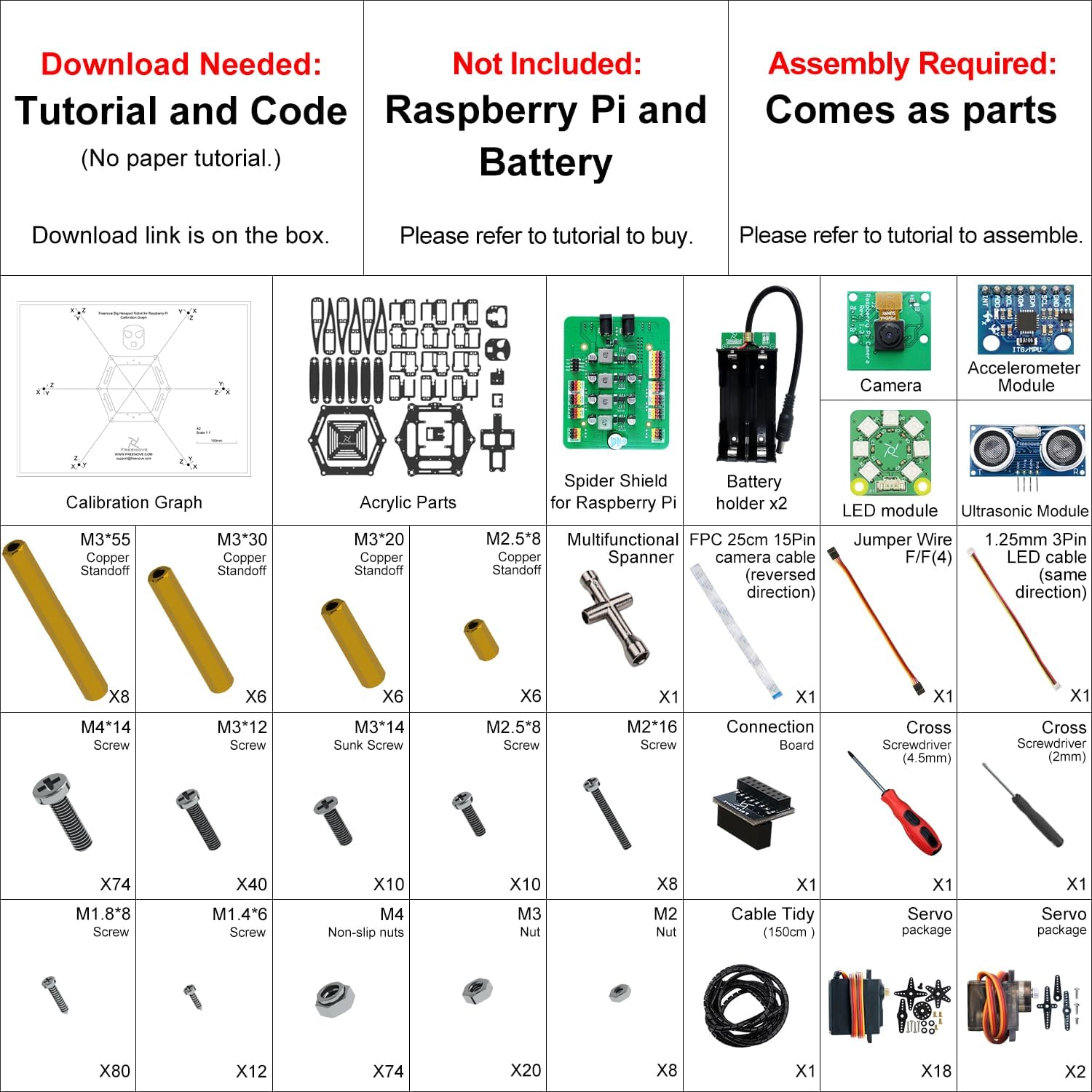
The Freenove Hexapod is a six-legged walking robot controlled by a Raspberry Pi, and it is, by consensus of long-form owner accounts, the most documentation-forward kit in this category. Owners who waited months before reviewing to give a thorough assessment consistently describe the PDF instructions as considerably above average, especially in the software sections — high praise in a category where documentation is typically the weakest link.
That sophistication is a double-edged sword. The same reviewers explicitly warn that younger or inexperienced builders will struggle significantly, while adults find it rewarding and technically substantive. The Hexapod has become something of a “talking piece” in maker circles: visually dramatic enough to command attention, and mechanically complex enough that completing it is a genuine accomplishment. Hackaday’s coverage of Raspberry Pi-based hexapod projects identifies servo calibration and Linux command-line configuration as the two steps where first-time builders most often stall — both apply here.
Freenove
$169.95
In stock on Amazon
Check price on AmazonSunFounder PiDog
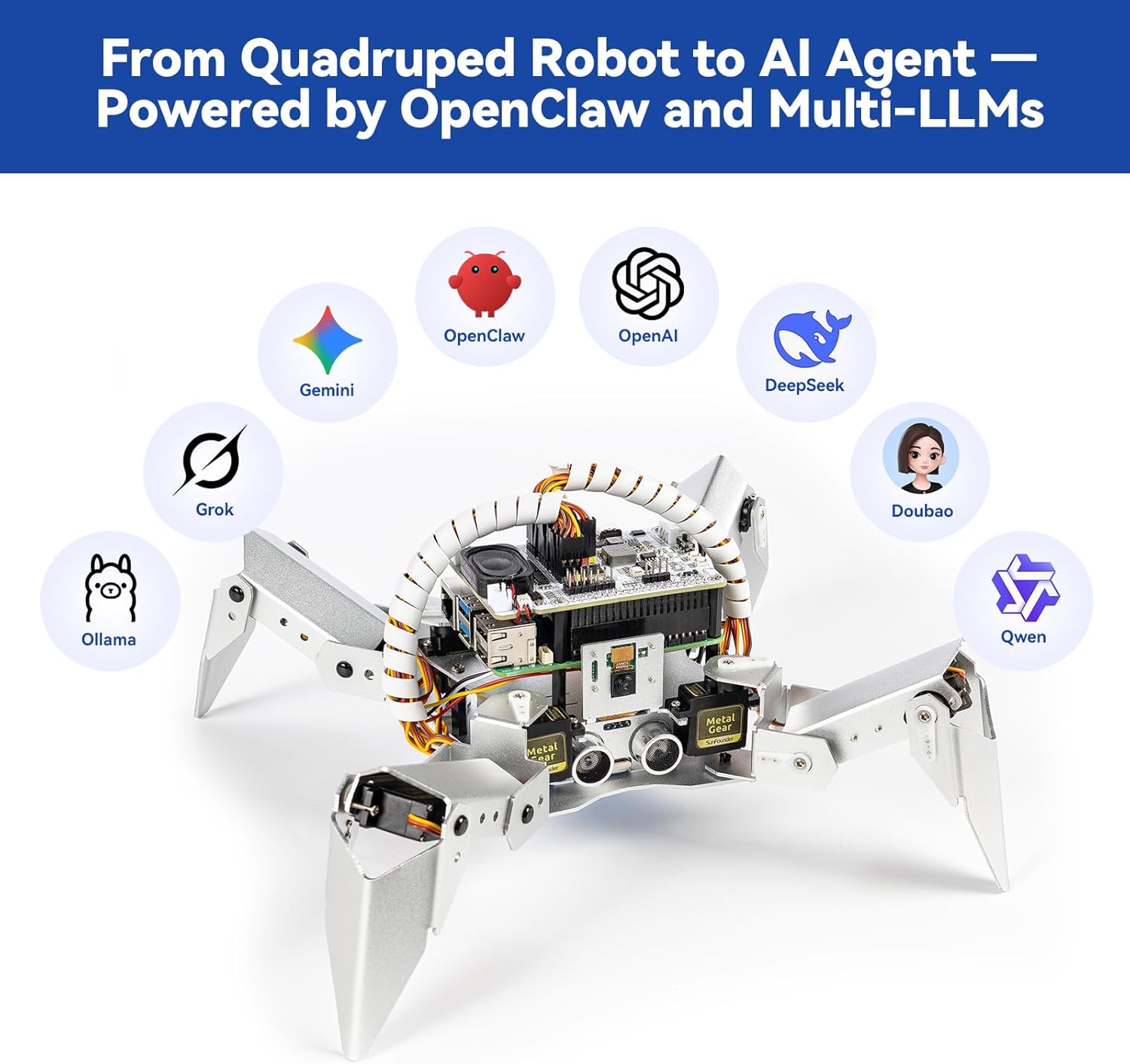
The PiDog is a quadruped (four-legged) robot dog powered by a Raspberry Pi. SunFounder’s assembly approach here is notably thoughtful: a combination of video walkthroughs and printed paper instructions that owners describe as complementary rather than redundant. The video shows what photographs cannot; the paper gives you something to mark up and reference offline.
Support quality is a real differentiator. Multiple owners describe SunFounder’s technical support as responsive and technically literate. The practical catch is a 12-to-13-hour time zone gap for US-based buyers — the support team operates from China. You may post a question at 9 a.m. EST and receive a detailed answer the following morning. For most assembly questions that rhythm is workable. For live debugging under a deadline, plan accordingly. The Robot Report’s hobbyist robotics market coverage identifies time-zone-delayed support as one of the most common friction points buyers cite with Asia-headquartered kit manufacturers, and the PiDog is no exception.
SunFounder
$139.99
In stock on Amazon
Check price on AmazonSunFounder GalaxyRVR
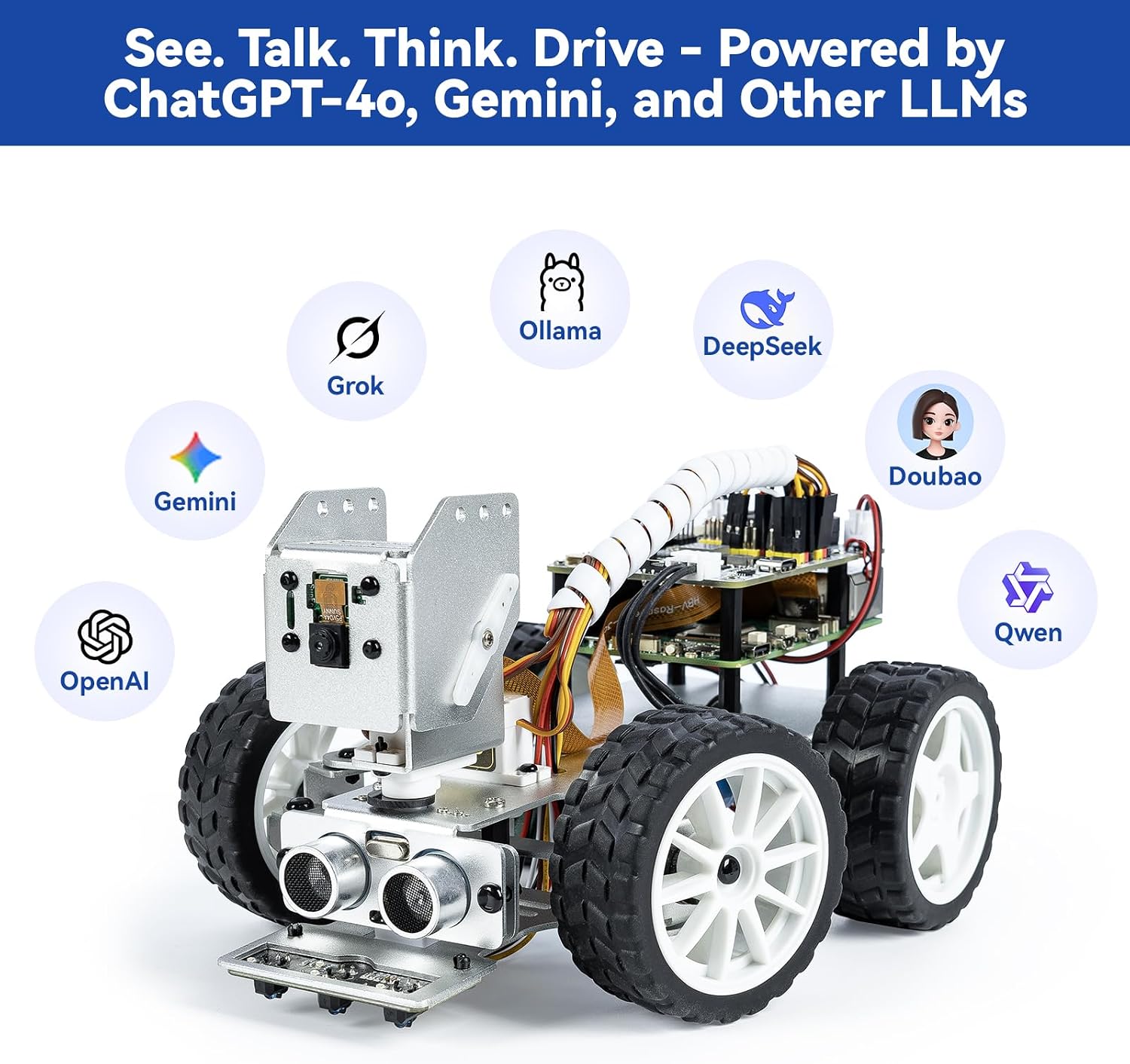
This is where we need to be direct about a real red flag. The GalaxyRVR is a Mars-rover-inspired wheeled robot with hardware that owners consistently praise — the chassis feels premium, mechanical assembly is solid. However, verified owner reports from self-described electronics engineers describe spending an entire day unable to connect the unit to any WiFi network and ultimately abandoning the project. That is not a novice making a first-time error; it describes someone who troubleshoots embedded systems professionally.
As The Robot Report has documented in its hobbyist market overviews, WiFi connectivity configuration is one of the most common failure points in consumer robotics kits — and the GalaxyRVR appears to have an above-average incidence of this issue based on the pattern of owner accounts. The hardware quality is genuine. The software stack and firmware version management carry more risk than the spec sheet implies.
SunFounder
$139.99
In stock on Amazon
Check price on AmazonSunFounder PiCrawler
The PiCrawler is a multi-legged robot positioned at a slightly more accessible tier than the Hexapod. Owners who’ve gotten it running report it works well. The friction point flagged in detailed owner accounts is specific and worth naming: outdated software dependencies in the official documentation. Owners with enough experience to work around the issue describe the mismatch between documented package versions and what’s currently available in Raspberry Pi OS as a real friction point — solvable, but not without Python environment management knowledge.
This is a structural problem across the kit category. Libraries change. OS versions move. Documentation rarely keeps pace. Make: Magazine’s Single-Board Computer Buyer’s Guide recommends pinning your Raspberry Pi OS version to whatever the documentation was written against, then updating cautiously — a reasonable workaround, but one that requires knowing it exists.
SunFounder
$89.99
In stock on Amazon
Check price on AmazonSunFounder Elite Explorer Kit
This kit sits at the edge of the comparison — less a single robot and more a structured Raspberry Pi learning system with robotics elements. It has developed a genuinely enthusiastic following among adult learners, with multiple owners in their 40s describing it as the learning resource they wished had existed decades earlier. That response tracks with what the curriculum delivers: a sequenced, video-based tutorial library that builds from first principles toward computer vision, sensor integration, and eventually the cloud-API AI features described above.
Tutorial video production quality is cited repeatedly and specifically — not just “good videos” but a level of clarity that makes complex topics followable for learners returning to programming after years away. For adult learners approaching electronics for the first time, or returning after a long gap, this kit’s structured path removes the single biggest obstacle: not knowing what to learn next. Hackaday’s kit documentation roundups consistently identify the absence of a sequenced curriculum — rather than hardware quality — as the primary reason hobbyist robot projects stall.
SunFounder
$139.99
In stock on Amazon
Check price on AmazonComparison at a Glance
| Kit | Controller | Mobility | AI Feature Type | Documentation | Tier |
|---|---|---|---|---|---|
| Freenove Hexapod | Raspberry Pi | 6-leg walk | Computer vision | PDF — above average | Freenove — $169.95 |
| SunFounder PiDog | Raspberry Pi | 4-leg walk | Cloud API + CV | Video + print | SunFounder — $139.99 |
| SunFounder GalaxyRVR | Raspberry Pi | Wheeled | Cloud API | Online/app — connectivity risk | SunFounder — $139.99 |
| SunFounder PiCrawler | Raspberry Pi | 4-leg walk | Computer vision | Online — aging dependencies | SunFounder — $89.99 |
| SunFounder Elite Explorer | Raspberry Pi | Stationary/modular | CV + API | Structured video — strongest | SunFounder — $139.99 |
How to Read the Spec Sheet Without Getting Burned
A few translation rules that hold across the category:
“Compatible with Raspberry Pi 4/5” — Budget for a Pi 4 minimum if computer vision features are listed. A Pi 3 will technically run the OS but will choke on real-time image processing. Hackaday’s SunFounder kit coverage identifies underpowered hardware — not broken software — as the single most common source of “the AI features don’t work” complaints.
“No programming experience needed” — This is true for the EZBlock visual programming path, where you drag and drop blocks to define behavior. It is not true once you move to Python. The gap between those two paths is larger than the marketing implies.
“Includes all parts” — Check whether the Raspberry Pi board itself is included or sold separately. Most kits in this tier do not include the Pi board. At 2026 market pricing, a Raspberry Pi 4 (2GB) runs approximately $35–45 when available; a Pi 5 (4GB) runs $60–70. Factor that into your total cost before the kit’s headline price stops looking affordable.
Frequently Asked Questions
Does the ChatGPT or Gemini voice integration on SunFounder kits work without advanced programming knowledge?
Functionally yes — when WiFi is stable and your API key is correctly configured. But “without advanced programming knowledge” is doing a lot of work. You’ll need to edit configuration files, manage API credentials securely, and troubleshoot Python environment issues when library versions drift. IEEE Spectrum’s reporting on edge AI implementations consistently identifies the integration layer — not the AI model itself — as where consumer robotics products fail most often. Someone with zero Python exposure will hit real walls. Someone who’s completed a few hours of Python tutorials will generally get there.
How much Python experience do you need before these kits make sense?
For the EZBlock visual path: none. You can get a robot moving with drag-and-drop logic in an afternoon. For the Python path: you should be comfortable with variables, loops, functions, and importing libraries — roughly the content of a 10-to-15-hour Python intro course. If you’ve finished the Python section of any major online learning platform, you’re ready. If you haven’t started, do that first; it will make everything else faster.
What do you do when documentation references software versions that are no longer current?
This is a documented problem, especially with the PiCrawler, and it’s likely to affect any kit more than 18 months old. The practical approach: search for the kit name plus the exact error message you’re seeing. SunFounder maintains GitHub repositories for most products, and the issues tab often contains community-sourced fixes. Make: Magazine’s SBC buyer’s guide recommends pinning your Raspberry Pi OS version to whatever the documentation was written against as the safest mitigation strategy.
Is the Freenove Hexapod genuinely too difficult for a motivated teenager?
Based on consistent owner reporting: yes, for most teenagers without significant adult involvement. The mechanical assembly requires precision with small hardware, the software setup involves Linux command-line work, and servo calibration demands methodical patience. A motivated 16-to-17-year-old with prior Raspberry Pi and Python experience could complete it — but a motivated teenager without that background is a reliable recipe for a half-assembled hexapod sitting on a shelf. Adults who’ve built it describe the difficulty as appropriate, not punishing.
How long does full assembly typically take?
Owner accounts vary widely. For the Hexapod and PiCrawler — mechanically complex, multi-legged — budget 8–15 hours across multiple sessions for a competent adult. The PiDog lands in the 5–10 hour range. The GalaxyRVR assembles faster mechanically (perhaps 3–5 hours) but WiFi troubleshooting has pushed total time significantly higher for some buyers. The Elite Explorer Kit is designed for ongoing learning rather than a single build event; “done” is intentionally a moving target.
What is the real difference between the EZBlock path and the full Python path?
EZBlock is a visual, block-based programming environment — similar in concept to Scratch — where you build behavior by connecting graphical blocks without writing code. It’s genuinely accessible and lets you get a robot doing interesting things quickly. Python mode gives you full control of every servo, sensor, and API call, but requires reading and writing actual code. The key tradeoff: EZBlock has a ceiling. Once you want anything the pre-built blocks don’t support — custom AI integrations, novel movement patterns, sensor fusion — you’re in Python territory. Most serious adult learners should plan to graduate to Python within a few months; EZBlock is an on-ramp, not a destination.
The Clear Decision Rule
If you’re sitting with one of these kits under active consideration:
If you want the best documentation and don’t mind a real challenge: Freenove Hexapod. If you want support infrastructure and a capable, charming build: SunFounder PiDog. If you want a structured re-entry into programming as an adult: SunFounder Elite Explorer Kit. If WiFi troubleshooting sounds like a bad afternoon: Hold off on the GalaxyRVR until SunFounder publishes a documented firmware update addressing the connectivity pattern. If “AI features” are your primary purchase driver: Budget for a Pi 5, a stable home network, and an OpenAI API account — and recalibrate expectations toward cloud-dependent features rather than on-device intelligence.
The kits in this category reward honest self-assessment more than any spec comparison will. Know your Python level, know your patience for documentation gaps, and buy the kit that meets you where you are — not where you hope to be in six months.