If you’ve heard the phrase “Raspberry Pi robot kit” and your brain jumped straight to a blinking LED on a breadboard, reset that expectation now. A Raspberry Pi is a credit-card-sized single-board computer — roughly the brains of a modest laptop, squeezed onto a $35–$75 board — and when it’s the heart of a robot kit, the projects we’re discussing are legitimately mechanical and programmatic: walking hexapods (six-legged crawlers), four-legged robotic dogs, insect-style crawlers, and autonomy-capable cars. These aren’t toys in the traditional sense. They’re programmable platforms that teach servo motor control, computer vision, Python scripting, and networked communications. This article compares the four most-reviewed kits in this cluster — the Freenove Hexapod, SunFounder PiDog, SunFounder PiCrawler, and SunFounder PiCar-X — for buyers who already know their way around a command line and are deciding which platform actually delivers on the learning promise versus which one burns a weekend on a documentation rabbit hole.
| EDITOR'S PICKFreenove Big Hexapod Robot Kit… | Mid-tierSunFounder PiCrawler AI Robot K… | Budget pickFreenove Mecanum Wheel Car Kit… | |
|---|---|---|---|
| Form factor | Hexapod walker | Crawler | Mecanum car |
| App control | ✓ | ✗ | ✓ |
| Voice control | ✗ | ✓ | ✗ |
| AI chat | ✗ | ✓ | ✗ |
| Price | $169.95 | $139.99 | $74.95 |
| See on Amazon → | See on Amazon → | See on Amazon → |
Who These Kits Are — and Aren’t — For
Let’s get the expectation calibration out of the way first, because the marketing language on several of these boxes has caused real buyer frustration.
Multiple reviewers across this kit cluster — documented in aggregated verified purchaser feedback on product listings — note that the “suitable for beginners” language undersells the real friction. One Freenove Hexapod reviewer describes it directly: “kids will struggle a lot” while noting that adults who commit to working through the challenges find it “a sophisticated and rewarding educational tool.” That’s actually a useful framing. This is a kit that rewards patience and curiosity, not one that rewards youth or first-day enthusiasm.
The SunFounder PiDog raised a similar flag in buyer feedback, with one reviewer explicitly describing needing outside assistance to resolve wiring issues. That’s not a failure of the kit — wiring a servo controller board with a dozen channels is genuinely complex — but it is a failure of expectation-setting if you bought this thinking it was weekend solo work for a 12-year-old.
The honest target buyer: Someone with 6–18 months of maker experience. You’ve done an Arduino project or two, you’re comfortable in a Linux terminal, you can read a Python script even if you don’t write one from scratch yet. You’re not buying a finished robot — you’re buying a curriculum with physical hardware.
By the Numbers
| Kit | Servo Count | Pi Required | Approx. Assembly Time | Primary Learning Focus |
|---|---|---|---|---|
| Freenove Hexapod | 18 | Pi 4 or 5 | 6–10 hrs | Gait algorithms, inverse kinematics |
| SunFounder PiDog | 12 | Pi 4 | 4–7 hrs | Sensor fusion, AI voice features |
| SunFounder PiCrawler | 12 | Pi 4 | 3–6 hrs | Motion programming, computer vision |
| SunFounder PiCar-X | 4 | Pi 4 | 2–4 hrs | Python + TCP/IP networking, line-following |
Assembly time estimates derived from aggregated reviewer reports across verified purchaser feedback.
The Four Kits, Compared
Freenove Hexapod: The Deepest Learning Curve, the Highest Payoff
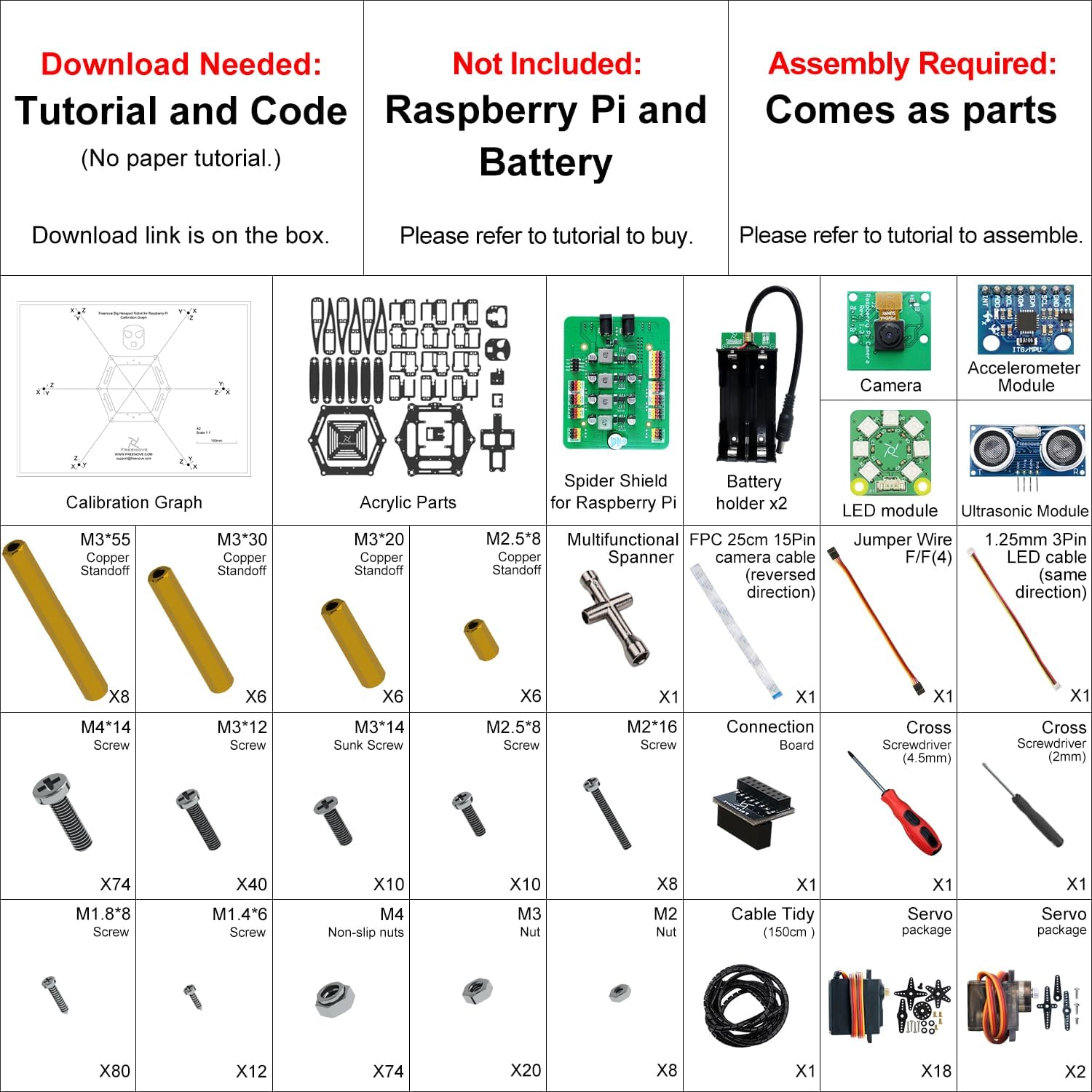
Of the four kits in this comparison, the Freenove Hexapod draws the most technically detailed and credible praise in the reviewer record. Reviewers who work through the full capability set consistently describe it as a genuinely sophisticated platform rather than a marketing claim.
Here’s what makes it different. Eighteen servo motors — three per leg across six legs — means the gait programming is non-trivial. You’re not just sending a “walk forward” command; you’re thinking about leg sequencing, body height, step timing, and center-of-gravity management. This is where concepts from robotics engineering courses become tactile. Hackaday, the hardware-focused editorial outlet at hackaday.com, has noted in its coverage of multi-legged robot platforms that servo count is a rough proxy for computational and mechanical complexity, and 18 servos places a kit firmly in “serious project” territory.
Real tradeoff to name explicitly: The Freenove Hexapod’s documentation is generally praised as thorough, but 18 servo calibration passes, body frame assembly, and wiring management mean a mistake early in the build compounds. Reviewers recommend building incrementally and testing each leg pair before full assembly. If you’re the kind of builder who reads the whole manual before touching a part, this kit rewards you. If you’re an “assemble first, debug later” person, budget extra time.
If X, then Y: If your primary goal is understanding how legged robots actually work — the kinematics, the sequencing, the balance tradeoffs — the Freenove Hexapod is the clear choice in this comparison. It’s the only kit here that teaches skills directly transferable to understanding Boston Dynamics-style quadrupeds or humanoid walking robots at a conceptual level.
Freenove
$169.95
In stock on Amazon
Check price on AmazonSunFounder PiDog: AI Features Are Real, But “Out of the Box” Is Generous
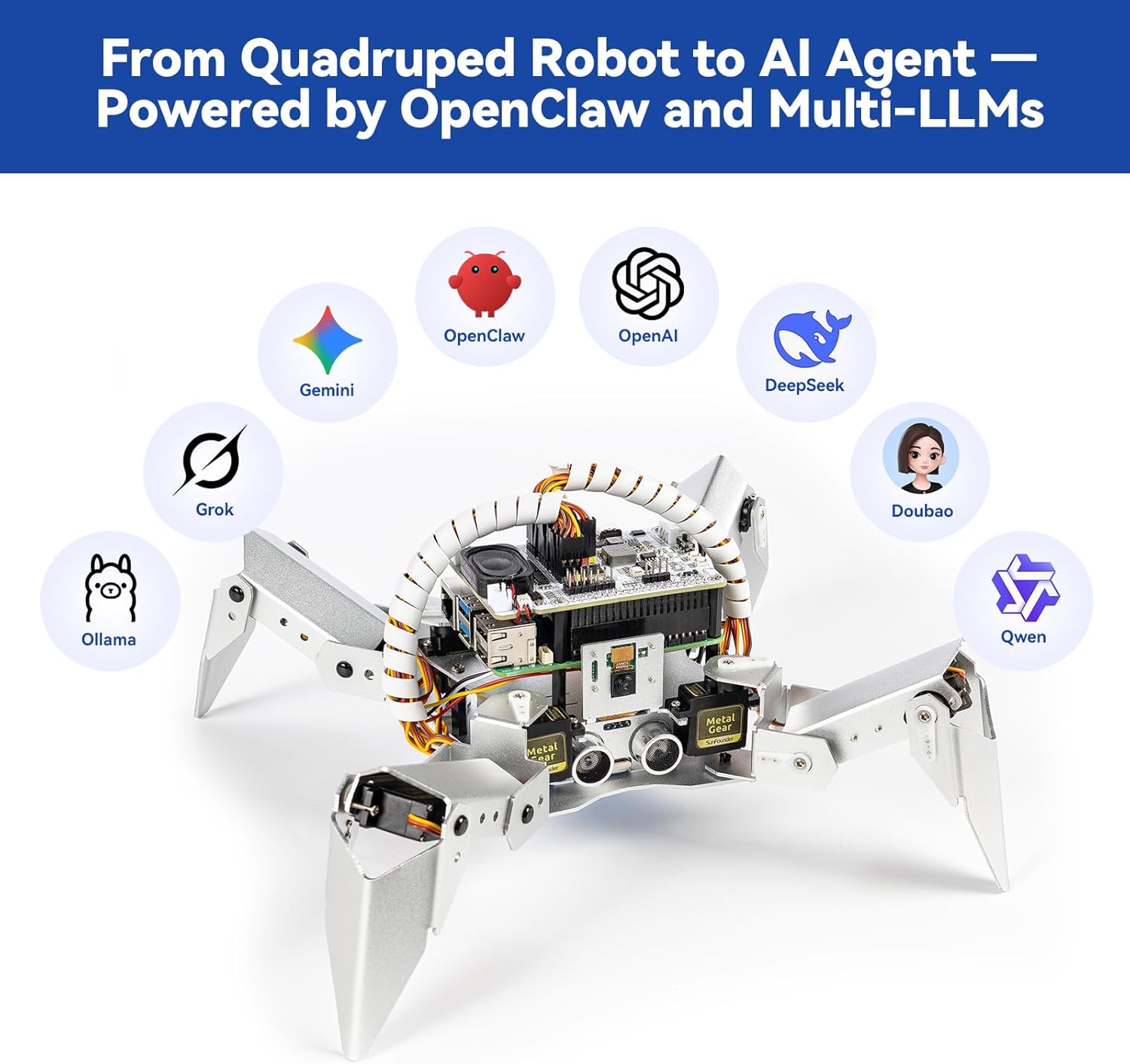
The PiDog is the most visually compelling kit in this roundup — a four-legged dog robot with a camera head and support for voice interaction, including ChatGPT and Gemini API integration. For buyers drawn to the AI angle, that’s a genuine capability, not vaporware. But let’s be precise about what “out of the box” means here.
The AI voice features require setting up API keys, configuring network access, and routing your Pi through the relevant cloud services. Reviewers who have worked through this report it functioning, but it is not a plug-and-play experience. If you’re expecting to unbox a robot dog and have it respond to voice commands before lunch, revise that timeline by at least a day, possibly two. Make: Magazine, the maker-focused editorial publication at make.co, has noted in its coverage of Python-based robotics learning platforms that AI integration features on maker kits typically require a developer-adjacent setup step that product marketing tends to gloss over.
SunFounder’s support is a genuine brand differentiator here. Multiple reviewers across the PiDog and other SunFounder products specifically note that support responses are prompt and substantive — with a roughly 12-hour delay due to the China time zone difference. In practice, if you hit a wall at 9 PM Eastern, expect your answer by morning. That’s a real, documented advantage over kit makers who rely on community forums alone.
Assembly time on the PiDog runs 4–7 hours based on reviewer reports, with wiring being the most common sticking point. One reviewer traced a persistent wiring issue to a sequence that differed subtly from the documentation illustration — a fixable problem, but worth flagging.
If X, then Y: If you want a platform that combines physical robotics with modern AI API integration and you’re comfortable doing developer-style setup work, the PiDog is the most forward-looking kit in this group. If you want the AI features to “just work,” manage your expectations aggressively.
SunFounder
$139.99
In stock on Amazon
Check price on AmazonSunFounder PiCrawler: Capable Platform, Aging Documentation Is a Known Issue
The PiCrawler occupies a middle position in this comparison — mechanically similar to the PiDog in servo count and complexity, but with a different form factor (a four-legged insect-style crawler rather than a dog) and a more explicit focus on programmable motion and computer vision.
Here’s the documentation problem you need to know before buying: reviewers consistently flag that software referenced in the PiCrawler instructions is out of date. The speaking functionality is the most commonly cited example — the instructions point to a library or tool that has either moved, been renamed, or changed its API in a way that breaks the tutorial steps. This is a solvable problem. SunFounder’s support will walk you through updated steps, and the community has documented workarounds. But it is an undisclosed friction, and buyers who don’t expect it can spend several frustrated hours before realizing the instructions are the issue, not their build.
Hackaday, in its ongoing coverage of the hobby robotics space at hackaday.com, has noted that documentation aging is one of the most persistent user experience problems across maker kit categories, because software moves fast and documentation updates lag. The PiCrawler has a documented instance that has accumulated enough buyer friction to show up clearly in the review record.
If X, then Y: If documentation accuracy matters a lot to you — if following tutorial steps precisely is part of how you learn — factor in a potential detour on the software setup. If you’re comfortable troubleshooting and treating “the instructions are slightly wrong” as a normal part of maker life, the PiCrawler is a solid mechanical platform.
SunFounder
$139.99
In stock on Amazon
Check price on AmazonSunFounder PiCar-X: The Learning Platform Framing Is the Right One
The PiCar-X is the simplest kit in this comparison by servo count and assembly complexity, and reviewers have landed on a framing that is genuinely clarifying: this is a learning platform for Python and networking, not a finished product. One reviewer explicitly describes using it to practice Python and TCP communications — treating the robot car as the motivating context for software skill-building rather than the end goal itself.
That’s an accurate and useful frame for buyers. The PiCar-X supports line-following, obstacle avoidance, and camera-based navigation, and each of those features is implemented in Python with enough transparency to read, modify, and extend. Four servos means mechanical assembly is manageable in a shorter session, which shifts the time investment toward the software side — exactly where the learning value lives for this kit.
Make: Magazine’s guidance on Python-based robotics learning platforms, published at make.co, recommends basic Python familiarity as a prerequisite for kits at this complexity level — framing that fits the PiCar-X precisely. For STEM educators or parents sourcing a kit for a motivated teenager who has done some coding but not much hardware work, the PiCar-X sits at the most accessible entry point of this group without being a toy.

Freenove
$74.95
In stock on Amazon
Check price on AmazonFrequently Asked Questions
Do I need to know Python before buying one of these kits? Not fluently, but you should be comfortable reading Python. Every kit in this comparison uses Python as the primary programming language. You’ll be modifying existing scripts before you write new ones — but understanding what a function call does, what a variable holds, and how to read an error message is real baseline preparation. Make: Magazine’s coverage of Python-based robotics learning at make.co recommends basic Python familiarity as a prerequisite for kits at this complexity level.
Which Raspberry Pi version works best with these robot kits? All four kits in this comparison are documented as compatible with the Raspberry Pi 4. The Freenove Hexapod is also tested with the Pi 5 by reviewers, generally with positive results. The Pi 3B+ will technically run these platforms but is increasingly undersized for AI features and camera processing. If you’re buying a Pi specifically for one of these kits in 2026, the Pi 4 (4GB) is the safe baseline; Pi 5 is fine if you already have one.
How long does the SunFounder PiDog take to fully assemble? Based on aggregated reviewer reports, budget 4–7 hours for mechanical assembly, plus an additional 2–4 hours for software setup, API configuration if you’re enabling AI voice features, and servo calibration. A full productive build weekend is a reasonable expectation.
Are the ChatGPT and Gemini voice features on the PiDog actually functional? Functional, yes — but not without setup work. You’ll need API keys from the relevant providers, network configuration on the Pi, and some command-line setup steps. Reviewers who have completed this report the features working. “Out of the box” is a generous description; “achievable in an afternoon with documentation” is more accurate.
What happens if the software in the instructions is outdated? This is the documented situation with the PiCrawler’s speaking functionality specifically. The path forward: check SunFounder’s GitHub repository for updated examples, contact SunFounder support directly (expect a response within 12–24 hours given the time zone), or search for the specific error message you’re seeing — it’s likely been documented by a prior buyer. Treating software setup as its own debugging session, separate from mechanical assembly, reduces frustration considerably.
Can a motivated 14–16 year old complete one of these kits independently? The PiCar-X: yes, with some patience. The PiCrawler and PiDog: probably, with adult backup available for the wiring and software setup phases. The Freenove Hexapod: reviewers are explicit that this one is challenging even for adults — a motivated 16-year-old with prior maker experience could work through it, but solo completion without frustration points is unlikely. Pairing these kits with an adult who can troubleshoot software is the realistic setup for the 14–16 age range on the more complex platforms.
The Decision Frame
Here’s the honest summary for buyers with a decision pending:
- Choose the Freenove Hexapod if your learning goal is mechanical and algorithmic depth — gaits, kinematics, and the fundamentals of legged locomotion. Freenove — $169.95
- Choose the SunFounder PiDog if you want to integrate modern AI APIs with physical robotics and you’re ready to do developer-style configuration work. SunFounder — $139.99
- Choose the SunFounder PiCrawler if you want a capable motion-programming platform and you’re comfortable treating slightly outdated documentation as part of the project. SunFounder — $139.99
- Choose the SunFounder PiCar-X if Python skill-building and networking fundamentals are the primary goal, and you want the hardware to be a motivating context rather than the main event. Freenove — $74.95
All four are legitimate intermediate platforms. None are beginner products despite some marketing language suggesting otherwise. The biggest variable between a rewarding build and a frustrating one isn’t the kit — it’s whether your expectations match what you’re actually signing up for.