A self-emptying robot vacuum does exactly what the name says: it cleans your floors autonomously and then drives itself back to a charging dock that sucks the debris out of the robot’s onboard dustbin and stores it in a larger bag or bin inside the dock. The appeal is obvious — you stop emptying a tiny cup every two days and instead deal with a larger container every few weeks. But once you move past the demo video, the real cost picture gets more complicated. This guide is for buyers who’ve already decided they want this category and are now comparing specific systems. We’ll crack open the three questions that matter most at this stage: what do consumables actually cost over a two-year horizon, how much do those suction numbers really mean, and how badly does proprietary dock hardware lock you into a single ecosystem?
| EDITOR'S PICKroborock Qrevo S5V Robot Vacuum… | Mid-tierShark Matrix Clean | Robot Vacu… | Budget pickroborock Q7 L5 Robot Vacuum and… | |
|---|---|---|---|
| Suction | 12,000Pa | — | 8,000Pa |
| Mop lifting | 10mm | — | — |
| Dock capacity | — | 60 days | — |
| Mop washing | ✓ | — | — |
| Navigation | — | LiDAR | LiDAR |
| Voice control | — | ✓ | — |
| Price | $549.99 | $269.99 | $139.99 |
| See on Amazon → | See on Amazon → | See on Amazon → |
The Consumable Cost You’ll Actually Pay Over 24 Months
The sticker price on a self-emptying system — typically $400–$1,100 for the robot-plus-dock bundle as of mid-2026 — is the smallest number in the total cost of ownership conversation. The recurring costs are where ecosystems diverge sharply.
Dust bags. Most auto-empty docks use proprietary bags. iRobot’s Clean Base bags run roughly $5–$6 per bag at retail, with each bag rated for 30–60 days of use depending on floor area and pet hair load. Roborock and Ecovacs have both moved toward “bagless” self-cleaning dock designs on several flagship models, using a cyclone or compression mechanism that deposits debris into a washable bin. That eliminates bag spend but introduces a different chore: rinsing the bin every 4–8 weeks. Neither approach is objectively better; they’re different maintenance contracts.
Filters. HEPA-style filters on the robot itself typically need replacement every 2–3 months under moderate use. Across brands, filters range from $8–$20 per set, and compatibility is almost never cross-brand. If the manufacturer discontinues your SKU (more on that below), filter availability evaporates.
Brushes and side sweepers. Rubber main brushes last 6–12 months; bristle brushes shorter. Budget $15–$40 per replacement cycle.
By the numbers — approximate 24-month consumable spend:
| System type | Bags | Filters | Brushes | ~Total |
|---|---|---|---|---|
| Bagged dock (e.g., iRobot Roomba j-series) | $70–$120 | $60–$100 | $40–$80 | $170–$300 |
| Bagless dock (e.g., Roborock S8 MaxV) | $0 | $60–$100 | $40–$80 | $100–$180 |
| Budget bagged dock | $50–$90 | $40–$70 | $30–$60 | $120–$220 |
New York Times Wirecutter’s 2025 robot vacuum update flags consumable costs as a persistent reader complaint and notes that several brands have quietly changed their bag formulations, causing third-party alternatives to fit poorly. That single supply-chain shift can flip a “good deal” bag purchase into a clogged dock and a warranty gray zone.
The decision rule here is blunt: if you have pets or high-traffic floors, the bagless dock saves $50–$120 per year but adds a bimonthly cleaning task. If you’re buying for a low-debris household or one where you genuinely won’t remember to rinse a bin, the bag system’s higher operating cost buys you a more hands-off experience.
Decoding Suction Claims: What Pa Numbers Actually Mean in Practice
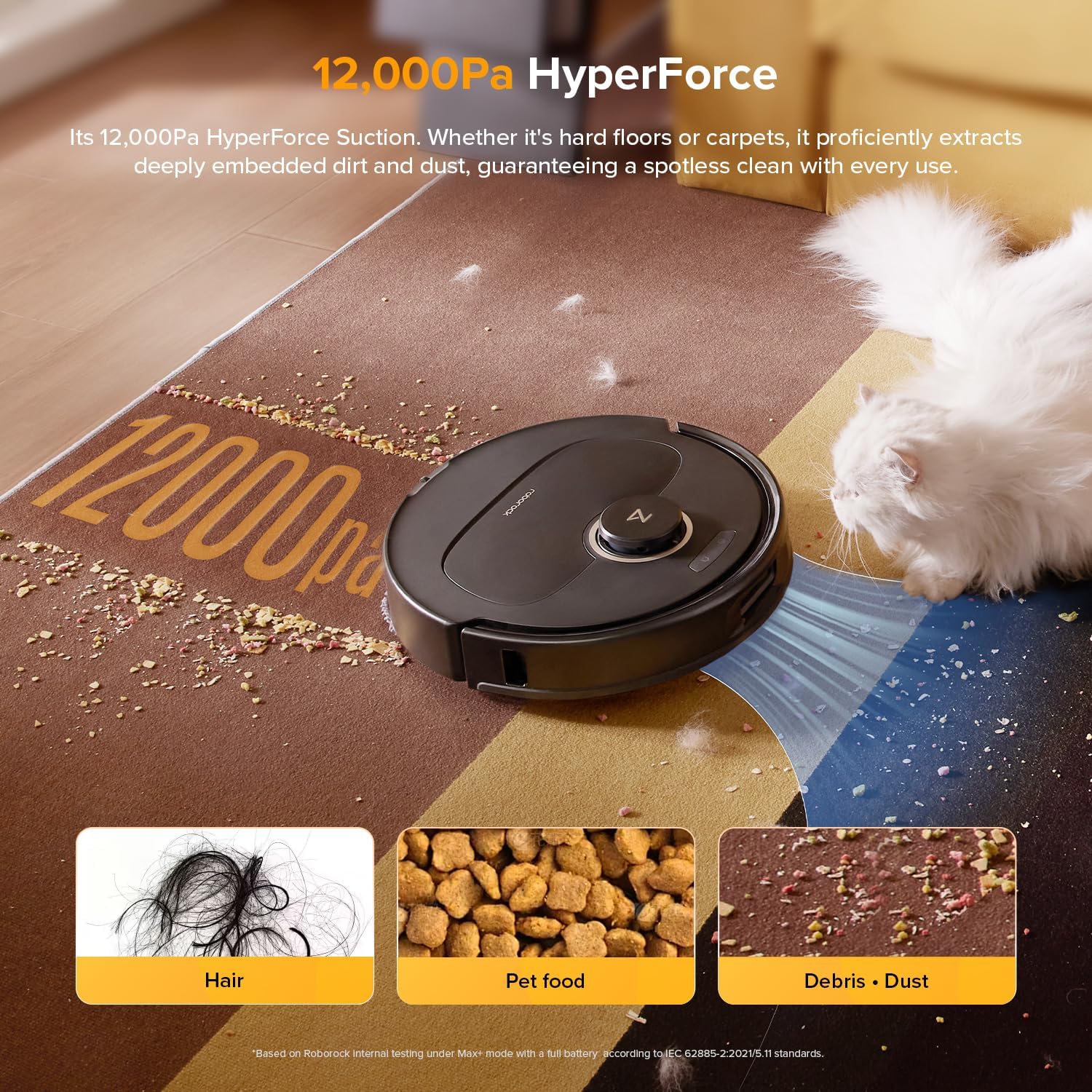
Robot vacuum marketing leans heavily on Pascal (Pa) ratings — a measure of suction pressure. In mid-2026, flagship robots advertise anywhere from 4,000 Pa to 18,000 Pa, and that number is doing a lot of heavy lifting in ad copy.
Here’s what Pa actually captures: the static pressure differential the motor can generate when the air pathway is fully sealed. It says nothing about airflow volume (measured in CFM or liters per minute), brush design, inlet geometry, or how the robot performs when it’s navigating around chair legs rather than sitting on a test bench. IEEE Spectrum’s 2024 analysis of navigation and motor systems in consumer robots makes clear that a robot’s effective cleaning performance is a composite of suction, brush engagement, path coverage efficiency, and surface adaptation — and that Pa ratings are “a single-variable snapshot of a multi-variable system.”
In practice, owners consistently report that a well-designed 2,500 Pa robot with good rubber brush geometry picks up pet hair as effectively as a 6,000 Pa competitor with a bristle brush that wraps hair around the axle. The cleaning head design and the navigation logic (how well it covers the floor, how many missed strips it leaves) frequently matter more than raw suction.
What Pa numbers are genuinely useful for:
- Carpet boost modes. If you have medium-pile carpet, a robot that can surge to 4,000+ Pa on carpet detection does produce a measurable difference in embedded debris extraction. Consumer Reports’ 2025 reliability and performance survey found carpet extraction scores correlated with peak suction more than hard-floor scores did.
- Mopping-combo units. When a robot is also mopping, it often reduces suction to protect the mop pad. Look for systems that can vacuum and mop at max suction simultaneously rather than throttling down.
- Noise. Higher sustained Pa = louder operation. Owners running high-Pa modes overnight consistently report waking up partners and pets. Most systems let you schedule quieter modes; understand what Pa level “quiet mode” actually uses.
The decision rule: don’t use Pa as a primary filter below roughly 2,500 Pa — anything above that threshold is adequate for most hard floors and low-pile carpet, and the brush system plus navigation quality will dominate your satisfaction. Use Pa as a tiebreaker between finalists, not as a first-pass ranking criterion.
Dock Lock-In: The Ecosystem Risk Nobody Puts in the Spec Sheet
This is the sleeper issue in the self-emptying category, and it deserves more space than it usually gets in reviews.
When you buy a self-emptying system, you’re buying into a two-part hardware dependency: the robot must communicate with its specific dock, and both must communicate with the manufacturer’s cloud infrastructure to deliver the app experience, map storage, and over-the-air firmware updates that justify the price premium. That’s three potential points of failure — dock hardware, consumable supply chain, and software continuity.
Dock hardware compatibility. Manufacturers update dock designs with new robot generations, and backward compatibility is inconsistent. iRobot’s Clean Base compatible with the Roomba s9+ is not compatible with the j7+ dock, for instance — the physical connection and firmware handshake differ. If you buy a dock from a bundled deal and then upgrade the robot two years later, you may find your $300 dock is now a paperweight. Wired’s 2024 investigative piece on robot vacuum planned obsolescence documented several cases of dock hardware being deprecated within 18–24 months of release, leaving owners with a robot that physically fits the dock but loses smart-empty functionality after a firmware update.
Software continuity risk. The robot vacuum market has seen meaningful consolidation. Several brands operating in 2023 have been acquired, pivoted, or quietly ceased firmware support. When cloud support ends, features degrade: maps stop syncing, scheduling breaks, and — critically — some auto-empty docks lose their emptying triggers because the “empty now” command routes through the cloud rather than running locally on the dock. The robot still vacuums; the auto-empty function stops working. Owners in long-run reviews describe this as the difference between a premium product and “an expensive Roomba without the good part.”
Third-party consumable risk. Several brands have implemented RFID or NFC chips in proprietary bags and filters that the dock reads before completing the empty cycle. If the chip isn’t recognized, the dock refuses to empty. This is a documented practice — not speculation — and it limits your ability to use lower-cost third-party consumables even when they’re physically compatible. Before purchasing, it’s worth confirming whether the model you’re evaluating uses chip-authenticated consumables.
Mitigating lock-in:
- Prefer brands with documented local API support. Roborock and several Dreame-platform robots have active local control communities and the robot’s core functions (including dock communication) can operate without cloud connectivity in degraded mode.
- Check the dock generation roadmap. A brand that has shipped three compatible dock generations without breaking backward compatibility is meaningfully lower risk than one that redesigns docks with every robot generation.
- Factor in the replacement dock cost. If a dock costs $150–$250 to replace separately, that’s a hidden line in your two-year TCO.
The decision rule here: if software continuity and ecosystem longevity matter to you — and they should for any purchase above $500 — weight brand stability and local control capability heavily. A slightly lower-rated robot from a brand with a five-year firmware support track record and a local API is a better two-year investment than a higher-rated robot from a brand that’s changed ownership or product strategy in the past 18 months.
Putting It Together: The Decision Framework
You’re probably comparing two or three finalists. Here’s how to run the final pass:
If your primary concern is ongoing cost: Run the 24-month consumable math on each finalist using the brand’s official consumable SKUs and current retail prices. The delta is often $80–$150 — real money, but not the deciding factor if ecosystem risk is high on your other option.
If your primary concern is cleaning performance on carpet: Pa matters above the ~2,500 baseline. Look for third-party reviews that specifically test your carpet pile depth. Consumer Reports’ test methodology includes embedded debris extraction on medium-pile carpet; that’s the number to find for carpet-heavy households.
If your primary concern is long-term reliability and feature continuity: Prioritize brands with established local API communities, multi-generation dock backward compatibility, and a demonstrable firmware support window. Avoid chip-authenticated consumable systems unless you’re comfortable paying first-party prices indefinitely.
If you’re managing this for someone else (a rental property, an office, a household member who won’t troubleshoot): the bagless dock with a washable bin is the operationally simpler system, even if it costs slightly more upfront. Fewer consumables to source means fewer “the dock stopped working” support calls.
The self-emptying category has matured to the point where the hardware is genuinely good across most of the $500–$900 range. The differentiation is now almost entirely in the ecosystem story — consumable costs, software longevity, and dock compatibility — and that’s exactly where the marketing is least transparent. Do the 24-month math, verify the API situation, and confirm whether the dock you’re buying will still work with the robot you’ll want in three years. That’s the research that separates a satisfying purchase from an expensive lesson.